Hameral Delta Profile
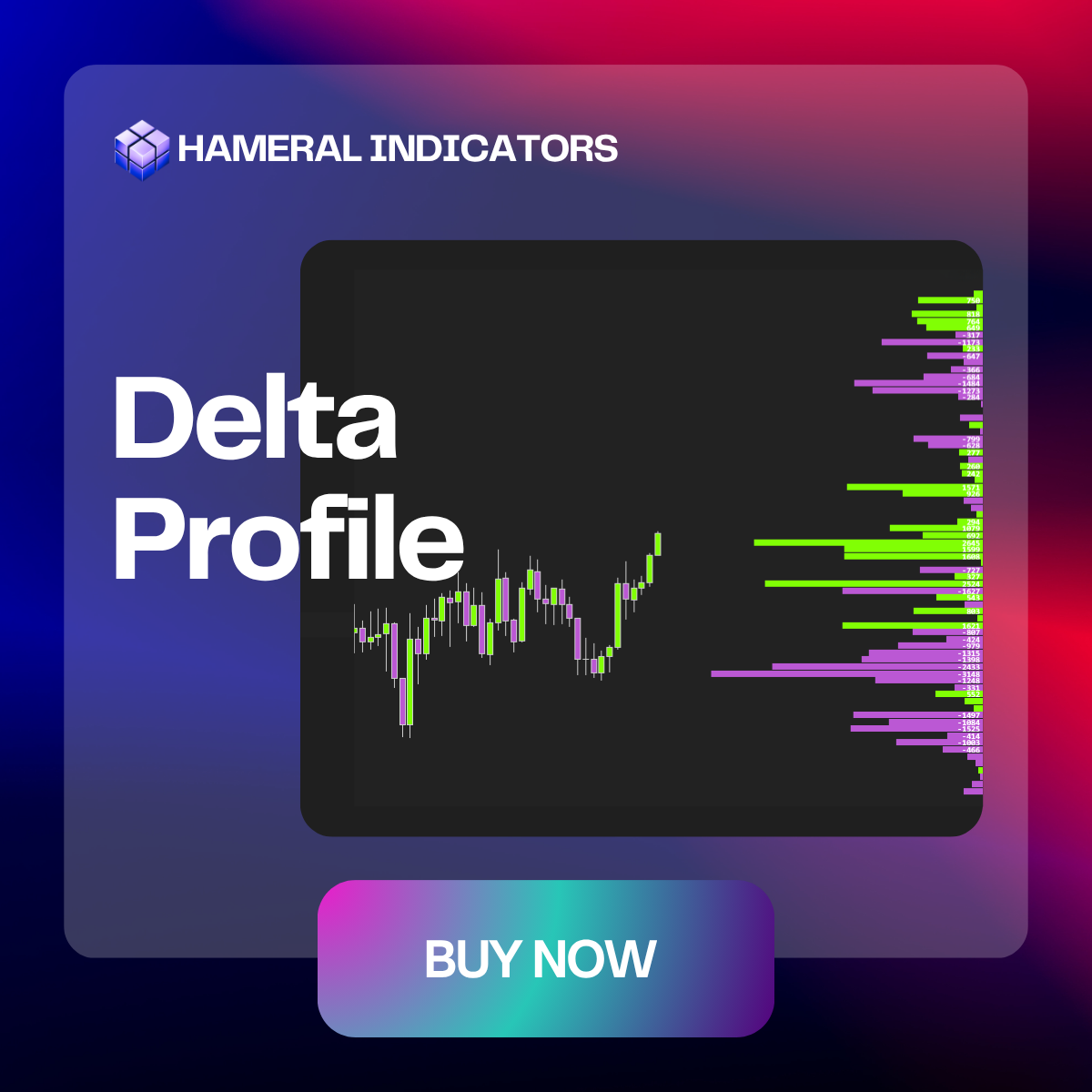
Delta Profile shows the distribution of buying vs. selling volume at each price level, used to identify hidden imbalances and key reaction zones.

✔️LifeTime License ✔️ Free Updates ✖️ No Order Flow+ Needed
🛡️Secured SLL Checkout
💳 All Major Cards
✖️ VAT Not Included
Description
See the Buyer vs Seller Battle at Every Price
Hameral Delta Profile turns raw order flow into a clean visual profile, showing where aggressive buyers and sellers were most active during your selected period.
Standard volume tells you where trading happened. Delta Profile goes deeper – it shows whether buyers or sellers were in control at each price level.
When strong positive delta appears, buyers were lifting the ask aggressively. When strong negative delta appears, sellers were hitting the bid aggressively. These levels often become important decision zones where price may react, stall, reverse, or continue with momentum.
Use the indicator to find high-value order flow areas such as absorption zones, exhaustion levels, buyer dominance zones, seller dominance zones, and delta divergence setups.
With flexible display options, custom time settings, price grouping, and clear positive/negative delta coloring, Hameral Delta Profile helps you focus on the levels that actually matter.
It’s not just about volume. It’s about who was winning the fight at each price.
Features & Setups
Key Features
Hameral Delta Profile gives you full control over how you want to view buying and selling pressure on your NinjaTrader 8 chart.
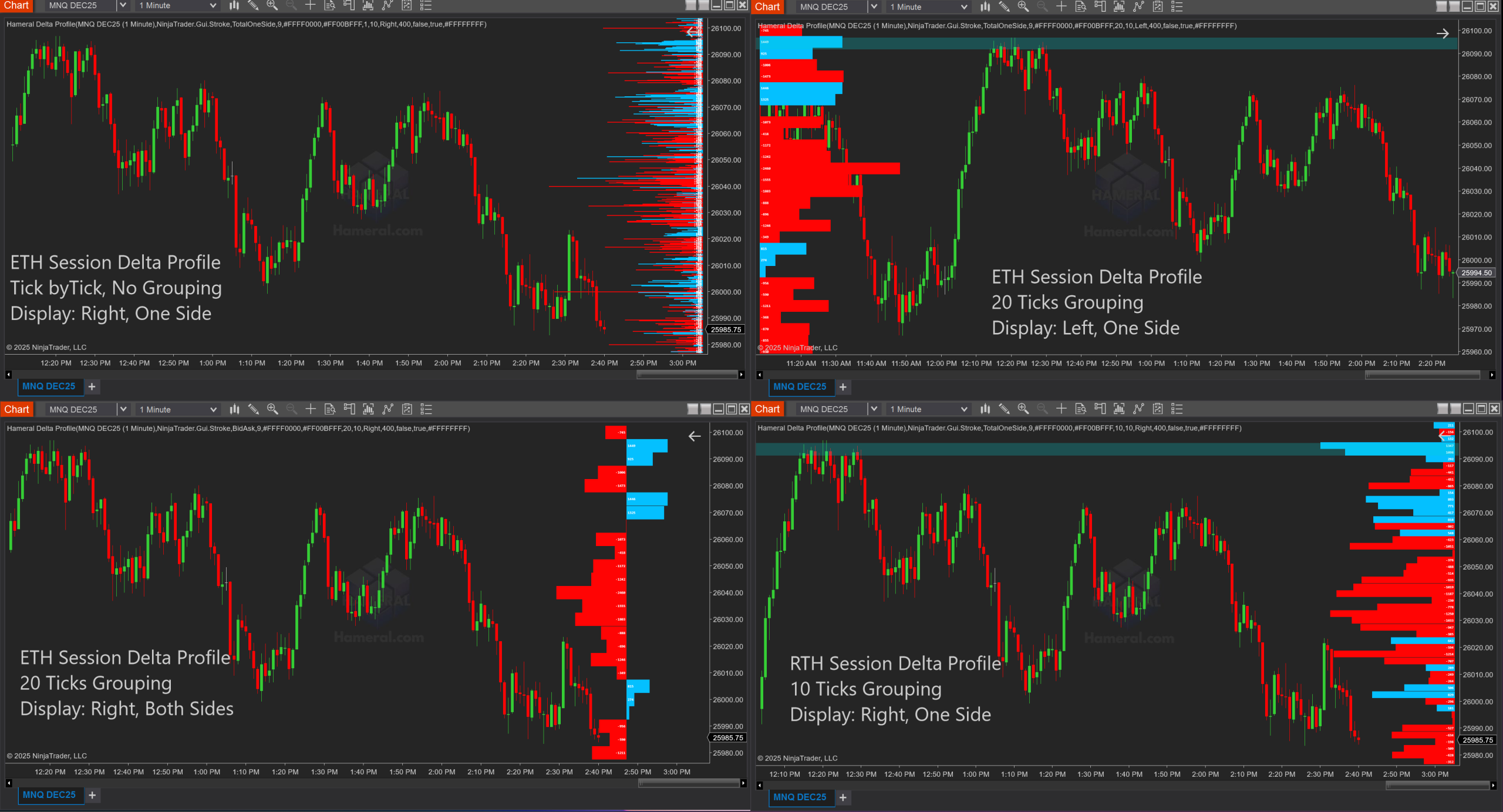
- Display the profile on the right or left side of the chart:
Choose where the Delta Profile appears, so it fits your chart layout without blocking price action. - Choose your delta display style:
Use TotalOneSide to keep the full profile on one side for a clean, compact view, or use BidAsk mode to separate selling delta and buying delta on opposite sides for a clearer buyer-vs-seller comparison. - Tick-by-tick detail or grouped price clusters:
Keep Price Grouping at 1 to see delta at every tick for maximum precision. Increase the grouping when the chart is too noisy or when you want to combine nearby prices into cleaner zones. This is useful for spotting stronger imbalance areas instead of focusing on every small tick movement. -
Adjustable profile width:
Control how much space the Delta Profile uses on your chart. Keep it compact for a cleaner layout, or increase the width to make major buying and selling imbalance levels easier to read.

🕔 Flexible time settings:
Build the profile using a selected timeframe, a custom trading session, or a repeating custom period. Available timeframe options include 1 Min, 3 Min, 5 Min, 15 Min, 30 Min, 1 Hour, 4 Hours, Daily, and Weekly.
- Custom session profiles:
Focus only on the market hours that matter to you, such as the New York session, London session, regular trading hours, or any custom start and end time. - Custom period profiles:
Create a new Delta Profile every custom number of minutes, such as every 30, 60, or 120 minutes, to break the session into smaller order flow zones. - Fully adjustable appearance:
Customize positive delta color, negative delta color, text color, font size, profile width, and offset from the chart edge to match your trading workspace. - Optional period border:
Display a border around the active profile period, making it easier to see exactly which candles are included in the current Delta Profile.
In short: you can keep the Delta Profile simple and compact, or customize it deeply to match the way you trade — tick-by-tick, session-based, timeframe-based, or custom period-based.
Customize Your Delta Profile Your Way
Every trader reads order flow differently. That’s why Hameral Delta Profile gives you flexible display, timing, and visual settings so you can focus on the delta information that matters most.
Place the profile on the right or left side of your chart, display positive and negative delta together or separated, group nearby ticks into cleaner price zones, and choose whether the profile resets by timeframe, session, or custom time period.
Whether you want precise tick-by-tick detail or a cleaner view of major buyer and seller imbalance zones, Hameral Delta Profile adapts to your chart and your trading style.
Examples
Volume Profile Examples