
💡FREE BASIC ORDERFLOW PACK
Free Ninja Trader Order Flow VWAP with Bands Indicator

📌 Overview
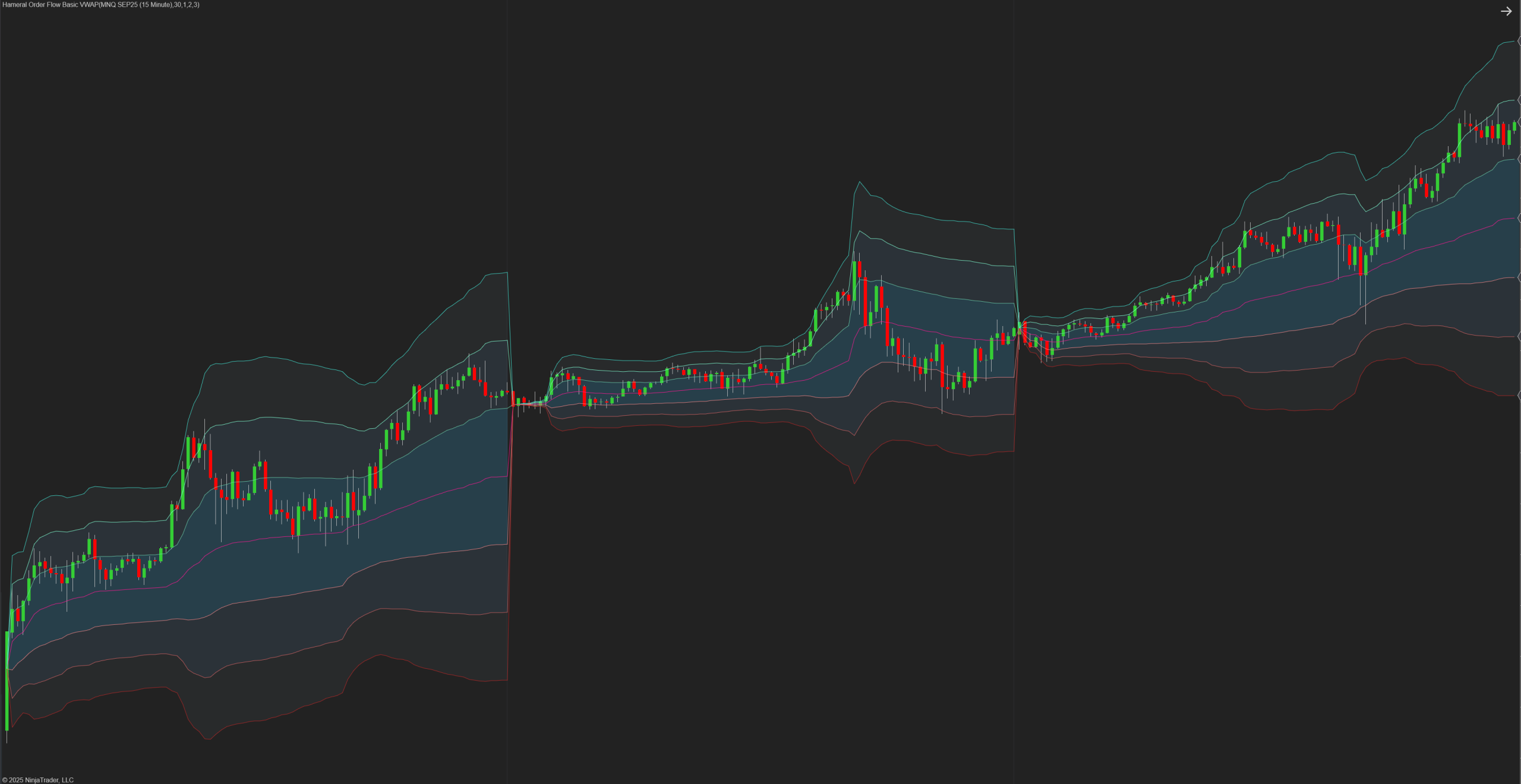
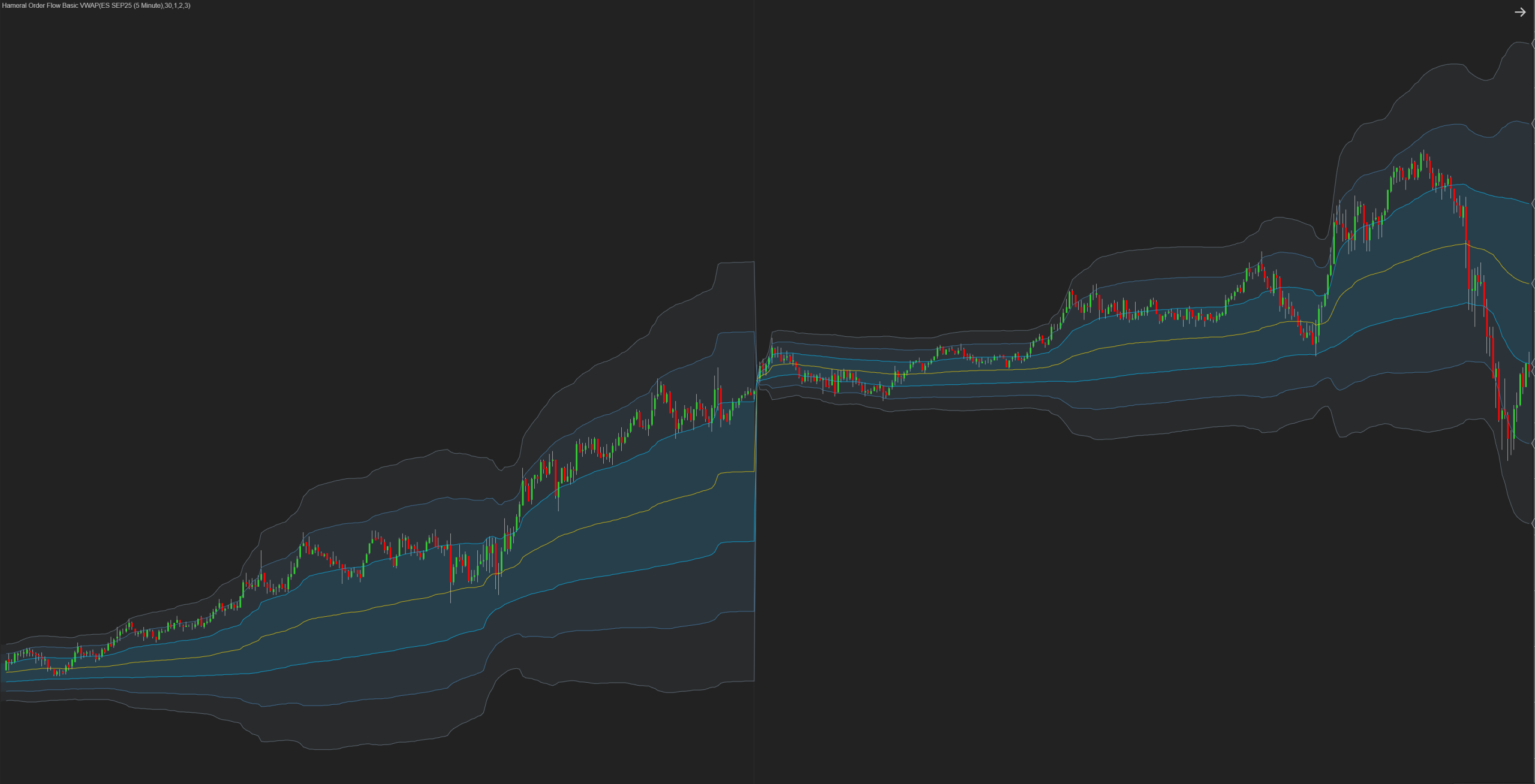
The Hameral Order Flow VWAP Basic plots the ETH VWAP (sessional volume-weighted average price) along with up to 3 customizable standard deviation bands. This essential order flow tool helps traders instantly understand whether price is fair, stretched, or mean-reverting. It is offering precise entry and exit zones based on institutional volume logic.
🔍 Key Functions
- Plots ETH VWAP as dynamic session-based value line
- Adds up to 3 upper and 3 lower standard deviation bands
- Bands adjust in real-time with market volatility
- Custom colors for VWAP and each band
- Works on any instrument or timeframe
🧠 How to Use It
VWAP with deviation bands helps you:
- Gauge market context: are we at fair value or extended?
- Spot reversion setups: fade 2σ or 3σ extremes
- Join trends: ride expansion when price breaks above 1σ
- Find confluence: align with POC, Delta, or VAL/VAH zones
Example Logic:
- Buy reaction from -2σ in an uptrend = mean reversion
- VWAP holding as dynamic support = trend continuation
More strategies will be available in our PDF guides and blog breakdowns.


Example: Retest & rejection from support + VWAP → buy opportunity. More strategy breakdowns in our PDFs & blog.
⚙️ Settings & Customization
- Band Count – Choose 1 to 3 bands up and down
- Color Control – Set colors for VWAP and each band
- Line Width/Style – Customize boldness or dashed look
- Opacity – Blend visibility with your chart theme
- Calculation – Based on ETH session volume

✅ Best Used On
- Markets: NQ, MNQ, ES, BTC, ETH
- Timeframes: 1m, 5m, 15m
- Best For: Scalping, intraday pullbacks, mean reversion
💡 Pro Tips
- Combine VWAP with Volume Profile for structure + dynamic value
- Use Delta Basic to confirm strength during band rejections
- Fade 2σ/3σ only when supported by price structure or context
🛠️ How to Install in NinjaTrader 8
- Download the pack: HameralBasicOrderFlowIndicators.zip
- In NinjaTrader, go to Tools → Import → NinjaScript Add-On
- Select the ZIP file and click Open
- Restart NinjaTrader 8
- Right-click chart → Indicators → Search “Hameral”
- Add it to your chart and customize it
📥 Get The Order Flow Basic Pack For FREE
Just sign up for our newsletter and get the full Hameral Basic Order Flow Pack instantly. This includes:
- ✅ Volume Profile Basic
- ✅ VWAP Basic
- ✅ Delta Bars Basic
- ✅ Footprint Basic
- 🎁 Bonus: Super Oscillator + Trading Template
💼 Need Advanced Order Flow Tools?
Looking for more flexibility and institutional-grade control? You’ll love the Hameral Pro Order Flow Pack, which includes:
- 📊 Session-by-session & Multi-Timeframe Volume Profiles
- 📌 Anchored Volume Profile
- 📈 Multi-Session VWAP with Standard Deviation Bands
- 📍 Anchored VWAP
- 📉 Cumulative Delta
- 🕯️ Advanced Footprint Chart — visualize order flow inside each candle, including absorption, delta, and more
- ⚡ Super Oscillator PRO with Market Extension Trigger