
💡PRO ORDERFLOW PACK
NinjaTrader Order Flow Anchored VWAP Indicator
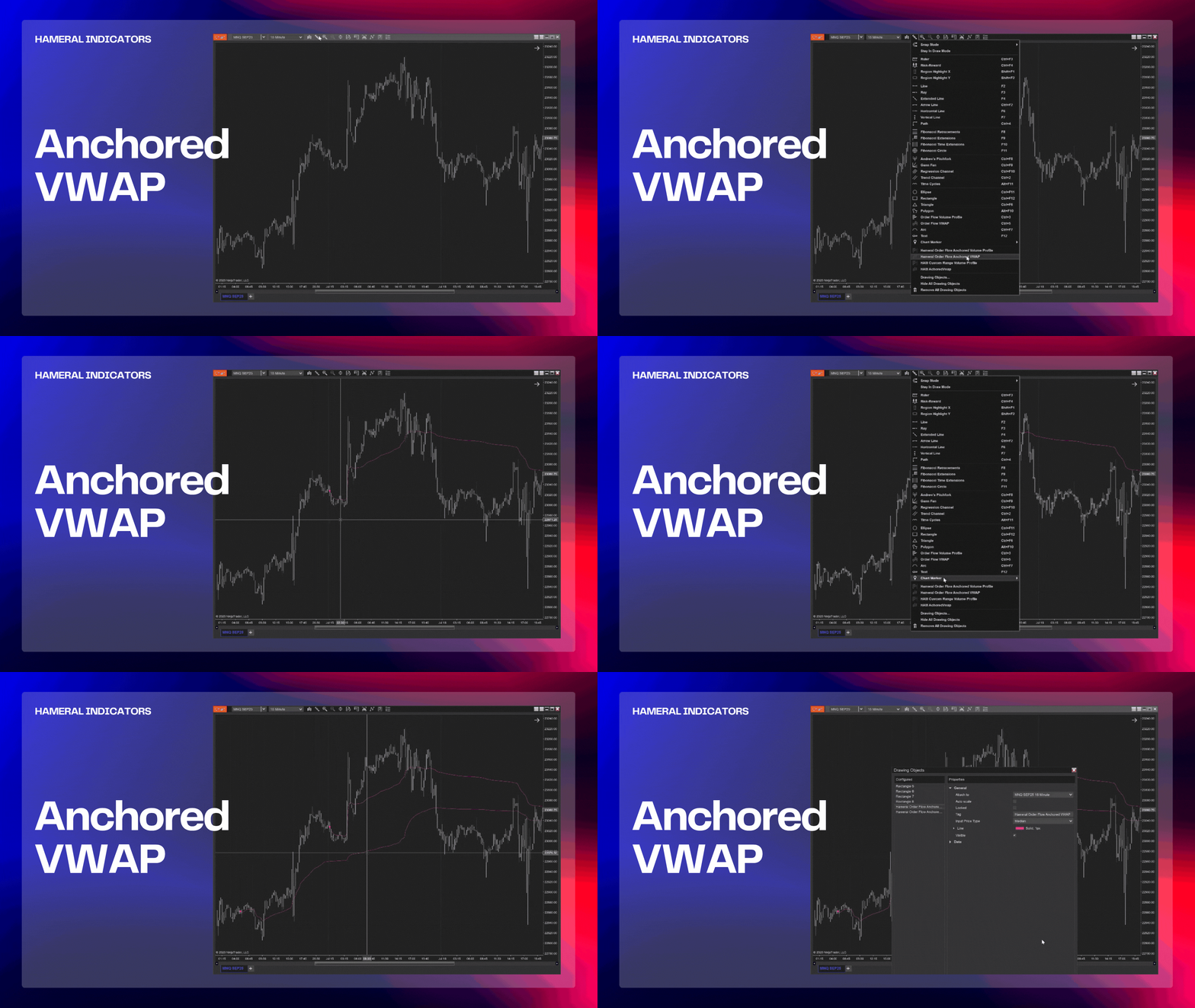
📌 What Is Anchored VWAP?
The Hameral Anchored VWAP PRO for NinjaTrader 8 lets you anchor VWAP to any custom bar on your chart – session opens, breakouts, or news events.
It instantly shows the true average price paid from your chosen point, making it easier to spot dynamic support/resistance, confirm breakouts, and manage trades based on real-time market flow.
Ideal for intraday and swing traders who want precision entries based on institutional behavior and high-probability zones.
🔍 What are the functions of Anchored VWAP?
The Hameral Anchored VWAP PRO is a drawing tool for NinjaTrader 8, allowing you to anchor VWAP from any custom point on your chart.
Simply click the pen icon → Drawing Tools → Hameral Order Flow Anchored VWAP and select your desired bar to start tracking the true average price since your chosen moment.

🏷 Custom Input Price Selection
- Choose how VWAP is calculated: High, Low, or Median price.
- Auto-detects optimal input point based on your anchor click for fast setup.
🎨 Full Styling Options
- Customize VWAP line color, thickness, and style to match your chart preferences.
- Intuitive anchor display on your chart with precise, easy-to-move control.
⚡ Real-Time & Historical Tracking
- Auto-updates in real time with volume-weighted precision after each tick.
- Clean, lightweight performance without adding lag or clutter to your chart.
🧠 How to Use Anchored VWAP?
Anchored VWAP helps you track the real market average price from any point you choose.
- Anchor to session open to gauge intraday bias.
- Anchor to high-impact news events for post-event flow clarity.
- Anchor to breakout candles to validate continuation or spot failure setups.
VWAP above price → sellers in control.
VWAP below price → buyers dominating.

🛠️ How to add Anchored VWAP in NinjaTrader 8?
- Download the pack: HameralOrderFlowIndicatorsPRO.zip
- In NinjaTrader, go to Tools → Import → NinjaScript Add-On
- Select the ZIP file and click Open
- Restart NinjaTrader 8
- Right-click chart → Indicators → Search “Hameral”
- Add it to your chart and customize it
📥 Get The Order Flow Basic Pack For FREE
Just sign up for our newsletter and get the full Hameral Basic Order Flow Pack instantly. This includes:
- ✅ Volume Profile Basic
- ✅ VWAP Basic
- ✅ Delta Bars Basic
- ✅ Footprint Basic
- 🎁 Bonus: Super Oscillator + Trading Template
💼 Need Advanced Order Flow Tools?
Looking for more flexibility and institutional-grade control? You’ll love the Hameral Pro Order Flow Pack, which includes:
- 📊 Session-by-session & Multi-Timeframe Volume Profiles
- 📌 Anchored Volume Profile
- 📈 Multi-Session VWAP with Standard Deviation Bands
- 📍 Anchored VWAP
- 📉 Cumulative Delta
- 🕯️ Advanced Footprint Chart — visualize order flow inside each candle, including absorption, delta, and more
- ⚡ Super Oscillator PRO with Market Extension Trigger